
How to Do a Backlink Analysis: What to Check and What to Fix
Use spam scores, topical relevance, anchor text, and live-page checks to assess backlinks. Includes a real DataWise example and a practical review checklist.
A useful backlink analysis tells you which links deserve a closer look, whether their context makes sense, and what you should do next. Start with the report, inspect the actual pages, and turn the findings into a short action list.
I start with spam score because it gives me an initial indication of link quality. But I do not want the review to end with a number. The mistake I see beginners make is focusing on Domain Authority while overlooking whether the blog is in the same or a related industry.
This guide applies that approach to DataWise’s own website, using backlink records retrieved on September 17, 2026, and separate checks of the pages behind them.

What should you collect before analyzing backlinks?
Collect the source URL, destination URL, anchor text, referring domain, provider metrics, and observation dates. Keep the original export so you can distinguish what the provider reported from what you verify yourself.
Define the scope first. Are you reviewing the whole domain or one article? In this example, the requested target was datawiseseo.com. Some returned links pointed to the apex domain and others to www.datawiseseo.com, which serves the marketing site. Their destinations need separate inspection.
A backlink is an individual incoming link; a referring domain is the website it comes from. Several links can come from one domain. Record whether your export contains every returned link or a grouped selection before comparing totals.
For this walkthrough, the DataWise connector returned 13 selected records, one per referring domain, in a request capped at 15. That is a review sample, not a count of all links to DataWise.
What does spam score actually tell you?
Spam score is a provider’s assessment that can help prioritize manual review. It does not establish that Google has penalized a site, that a link is harmful, or that a low-scoring page is relevant to your business.
The records used here include DataForSEO’s backlink spam score. DataForSEO describes its score as a proprietary metric from 0 to 100, calculated from 18 signals. This definition belongs to DataForSEO; it should not be substituted for another provider’s scoring method.
One sampled record had a score of 70 and a reported 3,000 external links on its source page. That combination deserves inspection. It does not prove who created the link, whether DataWise requested it, or whether it affected rankings. The record’s last observation was August 31, so those are dated provider observations rather than a fresh inspection of that source.
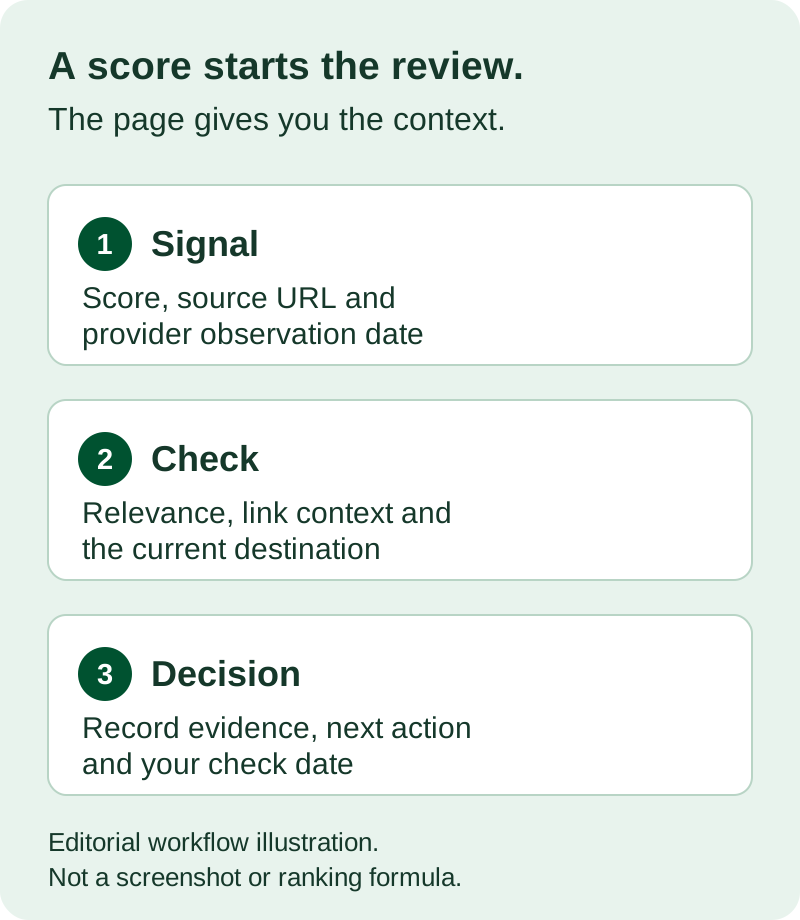
My recommendation is to use the score to decide where to look first. Open the page, find the link, and explain what you see before assigning an action.
Why isn’t Domain Authority enough to judge a link?
Domain Authority cannot tell you whether a particular page is relevant or whether its link helps the reader. It is Moz’s comparative metric, and Moz’s own authority guide explains that Google does not use DA as a ranking signal.
Keep the metric’s name attached to the provider. DataForSEO Domain Rank, which appears in the underlying records used here, is not Moz Domain Authority. A column labeled “rank” should not become “DA” when you describe an export.
The question I want readers to ask is simple: would this link make sense if I could not see the authority score?
For example, an article explaining SEO reporting could reasonably link to an SEO tool. A link inserted into an unrelated article needs a clearer explanation. These are illustrative judgments, not rules assigning a fixed SEO value to an industry.
How do you judge whether a linking page is relevant?
Read the article and the surrounding link context, then explain why its reader would benefit from the destination. Consider the page’s topic and audience as well as the broader website; a general publication can still publish a closely related article.
Use three checks:
- Topic: Does the article address the same subject or a useful adjacent problem?
- Context: Is the link a source, recommendation, example, advertisement, or something else?
- Destination: Does it lead to the promised resource, rather than an unrelated page?
DataWise’s sample included a Noah Intelligence article about question-first content and AI search. During the live check, its source-reference section linked to our query fan-out guide.
That establishes a visible topical connection and a working citation at the time of inspection. It does not verify every claim in the referring article, measure referral traffic, or tell us how Google values the link.
What should you check in anchor text and destination URLs?
Check that the anchor and its surrounding sentence accurately describe where the link goes. Then open the destination and confirm that the expected content is present. An anchor by itself can miss the explanation around it.
In the Noah example, the visible anchor was a numbered reference, “[7].” The surrounding source-reference section explained its purpose. Looking only at the anchor column would have lost that context.
Record the final URL after redirects. If an old article now redirects to a homepage, the server might return a successful response while the specific resource has disappeared. Likewise, a page can return 200 while displaying an error message, so check the body as well as the status code.
For links to your own site, a genuinely broken destination is an actionable issue. First confirm it is broken now and decide what content should exist there. Do not redirect every missing page to the homepage simply to clear an error.
A real DataWise review: the report and the live page disagreed
The most useful finding in this sample was a disagreement between an older backlink record and a current check.
The Noah record carried a spam score of zero, a destination status of 404, and a last-seen timestamp of August 6, 2026. On September 17, the referring article returned 200 and still contained the link. The destination also returned 200 and displayed the expected query fan-out guide.
| Record reviewed | Provider observation | September 17 check | Review decision |
|---|---|---|---|
| Noah article → DataWise query fan-out guide | Spam score 0; destination 404; last seen August 6 | Source and destination both 200; source link present; destination content matches | Record the current check; do not treat the old 404 as a current repair task |
| NestedTech tag page → DataWise | Spam score 0; last seen June 1 | Source URL redirected to the site’s homepage, displaying “New Chapter Begins” | Original linking-page context not verified; reassess before counting it as a current placement |
| AI Ranking community post → DataWise | Spam score 0; last seen July 27 | Automated source fetch returned 403 | Leave current link status unverified; inspect in a normal browser before deciding |
A 403 in an automated check does not establish that a link was removed. A score of zero does not establish that an old page still exists. And retrieving a report today does not mean its individual records were crawled today.
This review did not establish a ranking gain, a penalty, or a recovery. It produced narrower, useful conclusions about what was observed and what needed checking.
Should you disavow links with a high spam score?
No. A high score alone is not a sufficient reason to disavow a link. Google says most sites do not need the disavow tool and describes a narrower situation involving substantial problematic links and a manual action or a likely one.
Google also warns that incorrect use can harm a site’s search performance. Do not turn a spreadsheet filter into an automatic disavow list.
Google’s link-spam policy focuses on links created primarily to manipulate rankings. A topic mismatch or vendor score, considered alone, does not demonstrate how a link was created or establish a policy violation.
If you find a suspicious pattern, preserve the evidence and investigate the circumstances. Do not claim that a site bought links, received a penalty, or needs a removal campaign without the relevant evidence.
Turn the review into an action list
Keep one row per reviewed source URL and write a concrete next action. Include the provider’s observation date and your own check date in separate columns. That makes the record useful when someone revisits it later.
| Finding | Next action |
|---|---|
| Relevant source and working destination | Record the context and verification date |
| Important destination is currently broken | Investigate the missing content and an appropriate repair |
| Source redirects or cannot be checked | Record the limitation and arrange a manual recheck |
| Suspicious score or link pattern | Inspect the evidence; do not automatically disavow |
| Attractive authority metric but unclear relevance | Read the page and document whether the link makes sense |
Prioritize confirmed problems you can act on, then unresolved checks. Keep “unverified” as a valid result instead of forcing every link into a good-or-bad category. If you later measure referral visits or search changes, record those separately from link presence.
Once you understand your existing links, use the backlink-gap guide to investigate relevant competitor opportunities. That is a separate task from assessing the links already pointing to your site.
Start with a small sample you can inspect properly. The DataWise backlinks feature page introduces the available research tools; the useful output of your review is a dated explanation of what to keep, investigate, or fix.

Nicolas Gorrono
Founder of DataWise SEO and the AI Ranking community. Writing about SEO, AI search, and data-driven optimization.
Put these insights into action
Join the AI Ranking community to get unlimited DataWise access, included with your membership. 7-day risk-free trial.
Join AI Ranking